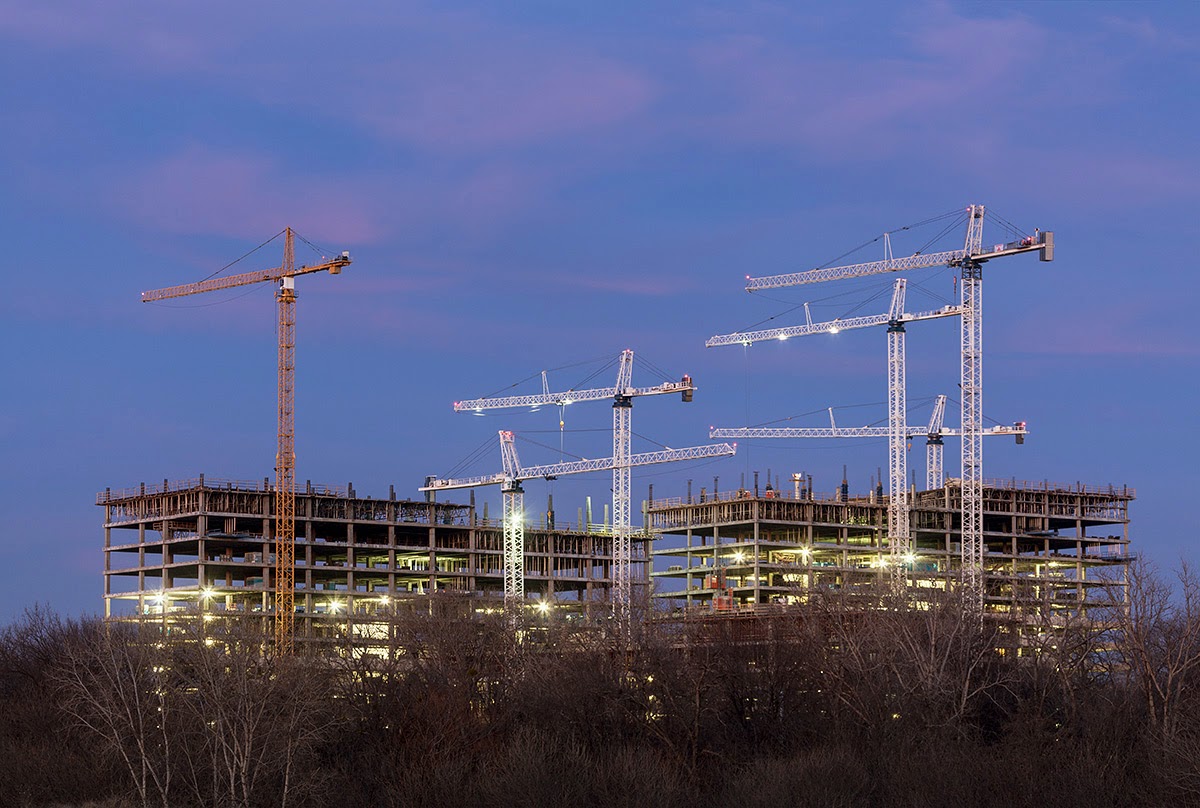
Three or four years ago I first heard about HDR. It was said to be a method of combining a series of different exposures in order to capture a wider range of tones in a scene. This would create an image with more detail in the shadows and highlights, much the way our eyes see things and not the limited range of film or digital. Sounded pretty neat at the time but it was only a little over a year ago that I finally started to learn and use the technique. A Photoshop seminar in the fall of 2008 and a book I purchased both claimed that Photomatix Pro was the best software for this technique and tone-mapping your images was the way to go. Well, tone-mapping has always seemed a little hard to understand and results seem inconsistent. Processing is definitely not over after tone-mapping. Mid tone values usually lack contrast and that needs to be fixed. The Topaz Adjust software seems to fix much of this problem but I usually have to dig a few more things out of my bag of tricks until I am happy with an image. I have also realized that HDR photography is quite the rage now. However it's not a realistic look like I have been trying to get, but a hyper saturated colors surreal look which seems to be the big thing. Nothing wrong with that but not what I want to do with my images and I'm not sure if that was what the HDR technique was intended to be. After all there has always been plenty of plug-ins and stand alone software programs that will take away the "real" look of your photos.
A few months ago I got an upgrade to my Photomatix software. When I opened the updated version of Photomatix I noticed an option for "Exposure Fusion". After blending exposures with it a few times I realized it did a much better job of keeping the image looking natural, real, and believable. I have been considering doing a blog post describing this method but haven't done it up to this point because I knew it would be quite time consuming to do a thorough one. I came across another blog post today which did a good job of describing the technique much as I would have. I have never met Kevin McNeal but he has some of the best wilderness photography that you will ever see. If you go to his blog you can get a rundown of this method of combining images. http://kevinmcneal.wordpress.com/2010/02/07/exposure-fusion-best-way-to-blend-images/
Some of what I do is a little different than Kevin's method. Like most post-processing techniques there are several ways to get the end result you are looking for. In the next paragraph I will detail the differences in how I do it. I suggest going to his blog and reading it before proceeding here.
When you choose your source images in Exposure Fusion, you will notice that it says "Note: Blending exposures works with converted files. For good results with Exposure Blending, it is recommended to convert your Raw files into Tiff or Jpeg files." I have taken their word for it and done it that way. I open the raw file that is in the middle of the range of exposures that I have taken. I will make many of the same adjustments in the raw converter that I would if it was a single exposure I was going to use for my image. However, I won't worry too much about the clipped shadows or highlights. The other exposures should take care of those values. I will save it as a TIFF. I then open the other raw files in my range of exposures and make the same adjustments to them before saving. The brightest and darkest exposures may get a small tweak from the adjustment brush if an area needs it. I then choose these images to be Exposure Blended. I will start with the default values in the final dialog box before processing the images. It is easy to get an understanding of what the sliders are doing. A description of what they do comes up when you mouse over them. I have found I can improve the image more by adjusting the sliders. Unlike tone-mapping they don't do strange unreal things to your image if you get a little heavy handed with them. When happy with the way it looks I will tell it to process the image. I then give it a name and save it. I will open it back up in Photoshop. I will then look at the brightest areas of the darkest exposure and see if I think some of the detail is missing from the processed version. I will also look at the darkest area of the brightest exposure and see if it will improve the processed version. If I believe the processed version still didn't retain all the detail in one of these areas then with the move tool I will drag the TIFF image which includes that detail onto the processed version. Dragging while holding down the shift key should line it up perfectly when you let go. I then click the icon for a layer mask while holding down the alt key. This creates a black layer mask which hides the new layer. Then I choose the brush tool set to white with a 10-20% opacity and gradually paint back in the parts of the layer I want to keep. I paint and change the brush size and opacity until happy with the results. I repeat this with another layer if necessary. I will probably make some other small adjustments in Photoshop but the image is usually looking pretty good at this point. I will look at the image and try to decide if it needs something else done to it. If not, its finished.
Monday, February 8, 2010
Saturday, February 6, 2010
A few more from Downtown Dallas!
The other day my photos of downtown were all shot from the roof of the parking lot at the courthouse. I still wanted to get some photos that would include all the NBA Banners in one shot so yesterday evening I was back downtown. I took the Reunion Tower image while just 15 feet away from me freeway traffic was zipping past. I would have liked to have backed up a little more. My 24mm tilt-shift lens was given the job of recording this. The shift still could not take all the lean out of the buildings so I had to straighten them up the rest of the way with a perspective fix in Photoshop. The problem with that version was with the Tower. You obviously were looking almost straight up at it because you can see so much of the underside of the ball. The buildings were straight but the tower still looked strange. For this version I decided to put a little more of the lean and convergence back in the image, much the way my normal lens would have rendered it.
Reunion Tower and the Hyatt
I still wanted a shot which included the whole skyline but showed all the banners. After looking at the results I think I may have found my new favorite spot to photograph the skyline from. I can see shooting this again at dusk and hopefully having some nice sky to go with it.Downtown Dallas
Labels:
Dallas skyline,
Hyatt Regency,
NBA All Stars,
Reunion Tower
Wednesday, February 3, 2010
New way of converting to black and white!
Last week I went to a one day Photoshop seminar in Arlington that was put on by NAPP. One of the things I learned was a different way of converting to black and white. Usually I do this with a black and white adjustment layer in Photoshop. It was suggested at the seminar that I do it in my camera raw conversion instead. While in raw go to the hue saturation luminosity adjustment and convert to grayscale. Then you go back and adjust exposure, recovery, fill light, clarity, and blacks with the sliders. Adjust the contrast with the curves adjustment. I like the results I got here.
Labels:
black and white,
Dallas,
Hyatt Regency,
NBA,
Reunion Tower
Tuesday, February 2, 2010
Getting ready for the NBA All-Stars!
Dallas Skyline
The Hyatt and Reunion Tower
Unfinished Banner
Labels:
Dallas Mavericks,
Hyatt Regency,
NBA all-stars,
Reunion Tower
Sunday, January 31, 2010
20/20 gallery and several new images!
If you go to the Galleries page on my website you will find a gallery of the best 20 images from my "Twenty Nights in Twenty Days" project. I am pleased with the results. While doing the project I noticed several other blogs which encouraged people to do a 365 project. I love to shoot but I can't imagine trying to come up with a good interesting image for everyday of the year. On my project I had a couple of days where I wasn't too thrilled about the results. It is just going to happen occasionally. Once I hit the road when my art show schedule starts back up there will be days when it will be quite difficult to find the time to shoot something interesting, process the images, and post it to my blog. Some days there just is a lot of other things that need to get done. I did look at a link from a "365 project" image that was posted on a blog. The first 20 out of 23 images were snapshots of the guys 3 year old doing things. Several were cute but most were boooooooring! Some were poorly exposed and poorly processed. I would never make my fans suffer through something like that.
Sunrise at Bryce Canyon
Soooooo..what do these three images have to do with my Twenty Twenty project? Absolutely nothing. Sometimes I review and process images immediately after a trip or shoot. I'm always real excited about some of them but it's still a good idea to review them at a later date. Your emotions, expectations, and memories have faded by then and you can look at what you shot with a new and fresh outlook. Many times instead of shooting new work you can create some nice images by reviewing and processing some of what you already have. Bryce was taken back in November. The rainbow was taken back in late August while in Colorado. It started sleeting on us right after taking it. A small image on the internet probably doesn't do it justice. Zion was shot several years ago.Rainbow from Mount Evans
Winter in Zion
Labels:
Bryce Canyon,
Colorado,
Mt Evans,
rainbow,
snow,
Twenty Twenty,
Utah,
Zion National Park
Thursday, January 21, 2010
Day twenty with some changing light!
It was quite cloudy and sprinkling a little as I prepared to head out for my evening shoot. The weatherman had said we had a chance of evening storms. My wife was home and said she heard were under a tornado watch. She also said she had to go to Baker's Furniture in downtown Garland to pick up some leather samples and maybe we could eat dinner at the Italian Restaurant just off the square. Considering the way the weather was looking I decided that plan sounded like a good idea. I would take my camera gear and shoot some things while she was in the furniture store. I started out taking some pictures at the Hubbard's Cafe that I had shot on the first day of this project. The Christmas lights were down and maybe I can get a different feel to a picture of the place. Turns out I may like it with the Christmas lights better, but the weather sure changed after I got there. The sun had already been down for 15 minutes or so when the clouds started clearing. Off to the east I could see the tops of some thunderheads which had turned very pink after the setting sun. Cool... but why can't I be out shooting landscapes when it does this. It would have also looked great behind the Dallas Skyline. I did get a nice shot of the front of Vetoni on Main which is in an old building located a block off the square. Nice place with good food and reasonable prices.
Vetoni on Main
An interesting side note about Hubbard"s Cafe. Do a Google search for Hubbard's Cafe. The second thing in the list is my image of it I put on Flickr. I wonder how long it will take my image of Vetoni on Main to reach the first page of a search?
Labels:
Decatur Texas,
downtown Garland,
hdr,
night photography,
Vetoni on Main,
Vetoni's
Wednesday, January 20, 2010
A Camera Club Visit!
Mormon Church
My good friend Jeremy Woodhouse was giving a presentation at the Dallas Camera Club last night so I decided to shoot my way to the meeting which would start at 7:30 pm. It had been a while since I paid a visit to one of the meetings and said hello to some of my other friends who are still active in the club. My first and main stop was to shoot a Mormon Church in North Dallas. I had photographed it years before with film and had to do that through the fence. I was able to get inside the fence last night and digitally combining several images gave me much better results than my previous effort. My 24mm tilt shift lens also was a big help shooting this tall steeple which you are close to. After shooting the church I headed west towards the camera club meeting. I made one more stop to photograph this taco stand on Harry Hines Blvd.Be sure and check out the two new widgets on the sidebar. They both give you a way to look at some of my Flickr images
Taco Stand
Labels:
church,
Dallas Camera Club,
Flickr,
Jeremy Woodhouse,
taco stand
Subscribe to:
Posts (Atom)